Table of contents
- What Is a Fast Food Kiosk?
- Benefits of Fast Food Kiosks
- Implementation Considerations
- Comparing Popular Fast Food Kiosk Systems
- How to Choose the Right Kiosk System
- Maximizing ROI from Your Kiosk Investment
- Potential Challenges and How to Overcome Them
- The Future of Fast Food Kiosks
- Frequently Asked Questions About Fast Food Kiosks
Walk into a McDonald's, Panera, or Shake Shack and chances are you'll place your order on a touchscreen before you ever speak to a cashier. What started as an experiment at a handful of major chains has become standard across quick-service and fast-casual restaurants. For these brands, kiosks now sit at the center of strategies to increase ordering speed, accuracy, and average check size.
Kiosks help restaurants serve more customers with greater accuracy and higher average order values, without adding headcount. For operators facing tight margins and labor challenges, that combination is hard to ignore.
This guide is for restaurant owners, managers, and operators weighing whether kiosks make sense for their business. You'll learn what kiosks are and how they work, find a breakdown of costs, comparisons of leading systems, and step-by-step guidance on choosing, implementing, and measuring ROI, along with practical tips for rollout, staff training, and tracking performance.
By the end, you'll have a clear picture of what kiosk technology can and cannot do for your operation, and whether now is the right time to introduce kiosks in your restaurant.
What Is a Fast Food Kiosk?
How Fast Food Kiosks Work
A fast food kiosk is a self-ordering kiosk where customers browse the menu, place an order, and pay without interacting with a cashier. Some restaurants replace the counter with kiosks entirely, while others run them alongside staffed registers to give customers a choice.
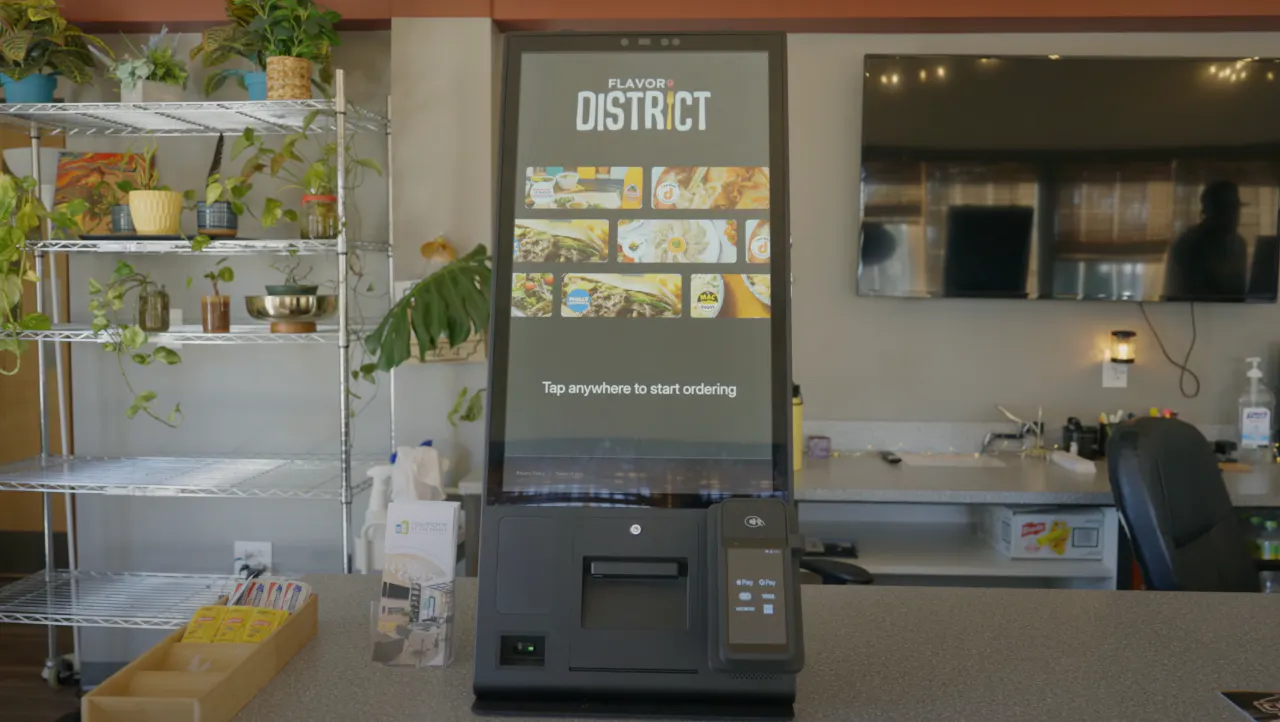
The ordering process follows a simple flow: approach, browse, customize, pay, and pick up. Behind that experience is a set of core components working together — a commercial-grade touchscreen, a payment terminal for card and contactless payments, a receipt printer, menu software that reflects current offerings, and integration that sends orders directly to the kitchen.
With Otter Kiosk, orders flow straight into Otter POS and then to the kitchen display system, with no manual re-entry.
Types of Fast Food Kiosks
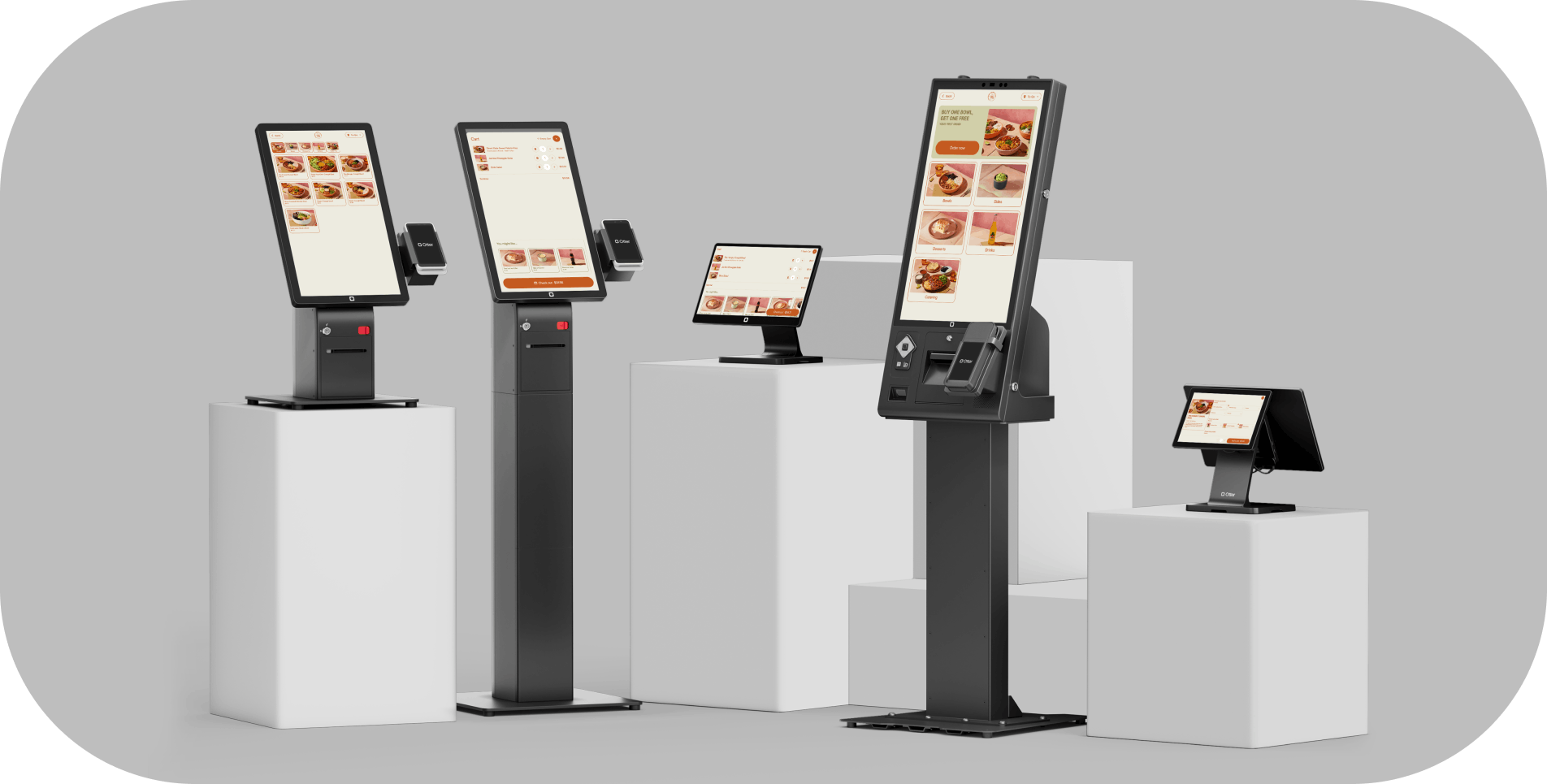
Countertop kiosks use compact 15–22 inch tablets that sit near the register or along a counter. They suit tight spaces and offer a lower-cost entry point for operators new to self-service.
Freestanding floor kiosks are the tall vertical units common in McDonald's and Shake Shack lobbies. Standing four to six feet tall, they anchor ordering in the dining room or entrance and handle high volumes during peak hours.
Wall-mounted kiosks provide a space-saving option where floor space is limited, keeping ordering accessible without a dedicated footprint on the floor.
Outdoor and drive-thru kiosks are built for weather resistance and extended outdoor use, well-suited for drive-thrus and walk-up windows that serve customers around the clock.
Who Uses Fast Food Kiosks?
Kiosks are closely associated with large QSR chains such as McDonald's, Wendy's, and Burger King, but adoption now extends far beyond the biggest names. Fast-casual brands like Panera and Shake Shack have made kiosk ordering central to their in-store experience, while pizza concepts such as Domino's and coffee chains like Starbucks use them for in-store and walk-up ordering. You’ve probably even seen them at your local neighborhood restaurant. They are also common in food courts, airports, stadiums, and ghost kitchens, where the on-site journey mirrors the online ordering experience.
The common thread is volume and customization. Any high-volume restaurant with a menu that invites customization can benefit from shifting part of that ordering to self-service kiosks.
Benefits of Fast Food Kiosks
Restaurant industry studies consistently show that self-service kiosks can increase average order value noticeably. Going beyond check size, kiosks can reshape both the user experience and day-to-day operations. Here's what operators typically see after rolling them out.
Increased Average Order Value
When customers order at their own pace, without a line building behind them, they tend to explore the menu more thoroughly and add more to their order. Visual upsell prompts — a photo of loaded fries appearing after a burger is added — encourage add-ons in a way that feels helpful rather than pushy. McDonald's has reported higher average checks at kiosk-equipped locations, a pattern that has held across major fast food chains since widespread adoption.
Otter Kiosk supports automated upsell prompts and visual merchandising that surface high-margin items at the right moment, giving operators a practical way to capture that lift.
Improved Order Accuracy
Miscommunication between customers and cashiers is a major source of errors in fast food. When customers input and confirm their own orders on screen, that variable is largely removed. Fewer errors translate directly into fewer remakes, less food waste, and higher customer satisfaction. Since Otter Kiosk syncs directly with Otter POS and the kitchen display system, what the customer confirms is exactly what the kitchen sees.
Faster Service and Reduced Wait Times
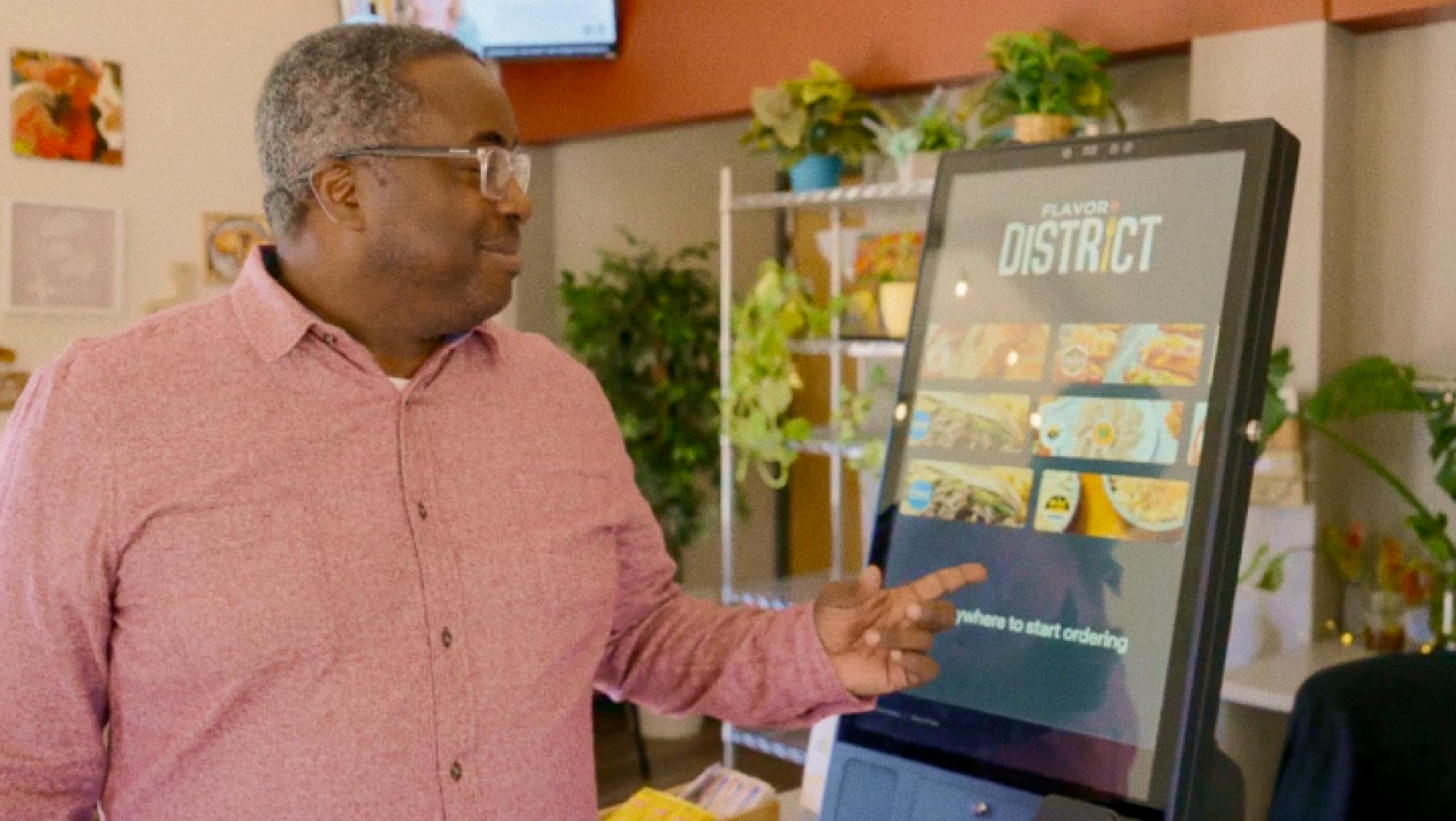
A single staffed counter creates a bottleneck during rush periods. Multiple kiosks running simultaneously absorb surges without slowing throughput, and because each unit operates independently, peak-hour capacity scales with the number of kiosks rather than available counter staff. Part-owner Travis Elias of Flavor District, an Otter customer, put it simply: "It cuts down the confusion, and speeds up the experience from beginning to end."
Reduced Labor Costs and Better Staff Allocation
Kiosks change how labor is deployed, rather than eliminating jobs. Staff who would have been taking orders can be redirected to prep, quality control, and hospitality roles with a more direct impact on the dining experience. This flexibility is particularly valuable during periods of labor scarcity, when finding and retaining counter staff is a challenge.
Enhanced Customer Experience and Accessibility
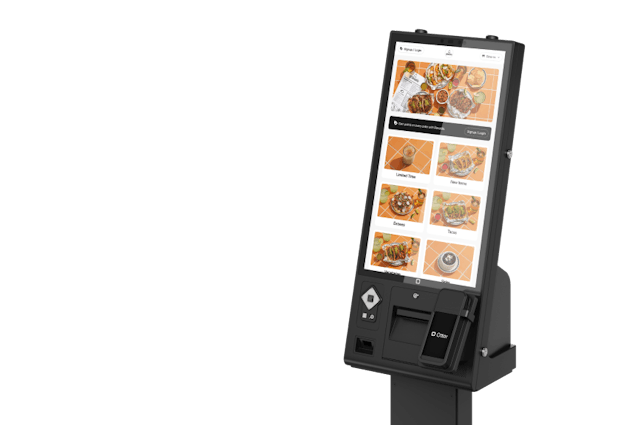
For a growing share of customers, the kiosk experience is preferable — no pressure to decide quickly, no risk of a modification being misheard, and no ambiguity about pricing. Visual menus with photos make it easier to discover items a customer might not have known to ask for. Well-designed systems also support multiple languages and meet ADA accessibility requirements, including 27-inch screen configurations with audio assistance and appropriate mounting heights for wheelchair users.
Better Data, Analytics, and Brand Consistency
Every kiosk order generates real-time data on popular items, customizations, upsell conversions, and peak windows — information that is difficult to capture consistently at a staffed counter. Otter Analytics aggregates this across kiosks and every other ordering channel into a single view. And because kiosk menus update uniformly across every terminal, there's no variation in how specials are described or inconsistency between what a customer sees online and what they encounter in the restaurant.
Implementation Considerations
Understanding the benefits is one thing. A successful rollout requires attention to the physical, technical, and human dimensions of deployment.
Space, Placement, and Infrastructure
Where a restaurant kiosk sits directly affects how well it performs. Freestanding units work best near the entrance or in clear sightlines from the door; countertop units suit narrower spaces alongside a staffed register. In either case, placement should never create a new bottleneck. Outdoor and drive-thru installs require additional planning around weatherproofing, lighting, and connectivity.
On the infrastructure side, kiosks need a stable, dedicated network connection — separate from guest Wi-Fi — to process payments and route orders reliably. A wired ethernet connection is standard for commercial installs, with Wi-Fi as backup. Confirm that your existing infrastructure can handle the additional load before installation day.
Menu Design and Optimization
A kiosk menu is a sales tool, not just a digital version of your printed menu. Items with high-quality photos consistently outperform text descriptions alone, and high-margin add-ons should appear at natural decision points in the ordering flow. Keep the menu architecture intuitive — too many nested categories can cause customers to abandon mid-order. Otter Kiosk allows operators to configure upsell prompts and track their performance directly through Otter Analytics.
Staff Training and Customer Adoption
A smooth rollout depends on two groups being ready: your team and your customers. Train staff on the kiosk fulfillment workflow before launch — how orders appear on the KDS, how receipts are generated, and how to assist guests at the unit. When staff understand the technology is designed to streamline repetitive counter work, not reduce the team, resistance tends to give way to engagement.
For customers, clear signage and a staff member available near the kiosks during early weeks turn hesitation into completed orders. Some operators use a small loyalty bonus or first-visit discount to encourage first-time kiosk use — customers who try it once tend to continue.
Comparing Popular Fast Food Kiosk Systems
Comparing leading kiosk providers side by side makes it easier to match the right system to your operations and budget.
Fast Food Kiosk Comparison Table
Provider | Hardware Cost | Software/License | Payment Processing | Key Features | Best For |
Otter | $100/mo lease or purchase | $99/mo per device | 2.39% + 15¢ (Main) / 3.19% + 15¢ (Starter) | Seamless POS integration, visual upselling, 24/7 support, includes printer and card reader | Otter POS users, multi-location |
Toast | $3,000–$5,000+ (typical all-in deployment; individual terminals closer to ~$1,000 + fees) | $50–$99/mo | 2.49% + 15¢ | Deep POS integration, proprietary hardware | Toast users, larger operations |
Square | $799–$1,299 (typical Square Register setup + accessories) | Included | 2.6% + 10¢ | iPad-based, easy setup, Square ecosystem | Small operations, budget-conscious |
Bite | Pricing on request; estimated $2,000–$4,000 | Quote-based | Varies | Seamless POS integration | Independent restaurants, custom branding |
GRUBBRR | Around $3,000–$6,000+ | $95–$125/mo | Varies | AI upsells, extensive customization | Enterprise, food courts |
Key Takeaways from the Comparison
Tightly integrated systems tend to offer a smoother operational experience; API-based solutions offer broader compatibility but can introduce complexity between platforms. Total cost of ownership over two to three years often outweighs the appeal of a low upfront price — when software fees, processing rates, and support are factored in, the gap between options narrows considerably. And when a kiosk goes down during a dinner rush, the difference between 24/7 live support and a ticketing system becomes consequential fast.
For operators already on Otter POS, Otter Kiosk's key advantage is the absence of middleware. Orders, menus, analytics, and kiosk data all live in a single platform — no additional vendors, no manual syncing, and no gaps between channels.
How to Choose the Right Kiosk System
Choosing the right kiosk system is ultimately about fit. Working through a few key questions before you commit can prevent costly missteps later on.
Assess Your Needs and Integration Requirements
Start by separating what you need from what would simply be nice to have. What POS system are you currently running? How many kiosks are you planning to deploy, and where? Will you need indoor, outdoor, or drive-thru units? Do you serve a multilingual customer base? The answers will narrow the field considerably.
From there, confirm that any system you evaluate integrates cleanly with your POS, kitchen display system, loyalty programs, and online ordering platform. Menu changes made in one place should update everywhere automatically. Otter Kiosk is purpose-built for Otter POS — no middleware, no third-party connectors, no integration issues.
Calculate Total Cost of Ownership
Think of total cost of ownership as hardware plus monthly fees over 24 to 36 months, plus payment processing on your projected volume, plus installation and support. To make that concrete: two Otter Kiosks over 24 months run approximately $9,552 ($199 × 2 × 24), including the printer, card reader, 24/7 support, and full platform integration. So-called "free" kiosk software often carries higher processing rates that add up quickly at scale.
Prioritize Reliability, Support, and Scalability
Ask whether the hardware is truly restaurant-grade and how it holds up to spills and long operating hours. Confirm that support is available around the clock — Otter Kiosk includes 24/7 support which minimizes downtime when issues arise. Finally, choose a system that can grow with you: easy to add units, with volume discounts available and a roadmap that includes mobile integration, loyalty connectivity, and drive-thru hardware.
Maximizing ROI from Your Kiosk Investment
Installing kiosks is the first step. Maximizing their impact requires ongoing attention to menu presentation, team engagement, and performance data. Operators who treat kiosks as set-and-forget tools leave meaningful revenue on the table.
Optimize and Refresh Your Menu
High-quality photos of add-ons, placed at natural decision points in the ordering flow, consistently outperform text-only prompts. Thoughtful combo design encourages customers to add more without feeling pressured, and limited-time offers on the home screen drive incremental sales during slower periods. Keep the menu current — seasonal updates and rotating items maintain engagement, and kiosk data provides the feedback loop for what to change next. Otter Kiosk allows operators to configure upsell prompts and track performance through Otter Analytics.
Monitor Metrics and Maintain Hardware
The metrics worth tracking include kiosk orders as a share of total volume, average ticket size versus counter, upsell conversion, and wait time reduction. Otter Analytics surfaces all of this across every ordering channel in one place.
On the hardware side, a simple routine goes a long way: clean screens and check receipt paper daily, test payment terminals and verify menus weekly, and run a full software and analytics review each month. A documented contingency plan for hardware failure prevents minor issues from becoming service disruptions.
Keep Staff Engaged
When a customer hesitates at a kiosk, a team member who offers a quick assist turns a potential abandonment into a completed order. Train new hires on the fulfillment workflow from day one and share kiosk performance data with the broader team — upsell rates and accuracy figures build ownership around the technology. Otter offers 24/7 support for any technical questions that arise along the way.
Potential Challenges and How to Overcome Them
Customer Hesitation and Staff Resistance
Not every customer will embrace self-service ordering immediately. A gradual rollout works best — keep at least one staffed register available, post clear signage near the kiosks, and station a team member nearby during peak hours to offer help without hovering. Small incentives can nudge hesitant customers to try self-service for the first time.
Staff resistance follows a similar pattern. Transparent communication about how kiosks change roles — rather than eliminate them — combined with thorough pre-launch training, turns discomfort into confidence.
Technical Issues and Menu Complexity
Restaurant-grade hardware significantly reduces failures compared to repurposed consumer equipment. A provider with 24/7 support and remote monitoring can often resolve issues before they interrupt service — Otter Kiosk includes both. A written contingency plan keeps the kitchen moving when technology fails.
Menu synchronization across channels is a related challenge. A price change that updates on the POS but not on the kiosk creates confusion and fulfillment errors. Otter's Menus feature manages POS, kiosks, online ordering, and delivery from one dashboard, so updates push simultaneously across every channel.
The Future of Fast Food Kiosks
Kiosk technology has matured over the past decade, and development is still accelerating. AI-powered recommendation engines are moving beyond static upsell prompts to surface personalized suggestions based on order history and time of day. Voice ordering pilots are underway at several operators, opening touchscreen kiosks to a broader range of users. Facial recognition for loyalty identification is in active development, allowing returning members to be recognized and served personalized offers without entering a phone number.
Mobile integration is expanding the role kiosks play as well. QR code scanning lets customers start an order on their phone and complete it at the kiosk, while loyalty program integration creates a connected experience across every channel. Kiosks are also being used as pickup coordination points for delivery orders — customers scan a code to confirm arrival and trigger handoff rather than waiting at the counter.
On the sustainability side, digital receipts reduce paper costs with no change in customer behavior, and contactless payment is now a basic expectation. The hygiene preferences that accelerated contactless adoption during the pandemic have largely become permanent, and kiosks align naturally with that shift.
Otter's platform is designed for this kind of convergence — kiosks, online ordering, POS, and delivery operating within a single system, with a unified view of every customer interaction regardless of where the order was placed.
Otter self-service kiosks
Cut labor costs & customer wait times with self-service restaurant kiosks.
Frequently Asked Questions About Fast Food Kiosks
How much does a fast food kiosk cost?
Hardware runs between $2,000 and $8,000 for a purchased unit, or can be leased starting around $100 to $200 per month. Software adds $50 to $150 per month, and processing fees typically fall in the 2.3%–2.9% range plus a small fixed fee. See the self-service kiosk cost question below for a tiered breakdown, or the Otter pricing question for a specific example.
What is a fast food kiosk?
A fast food kiosk is a self-service touchscreen terminal where customers browse the menu, place an order, and pay without interacting with a cashier. Most come in countertop, freestanding floor, or wall-mounted configurations. The full breakdown is covered in the opening section of this guide.
What fast food restaurants have kiosks?
Kiosks are now standard across much of the fast food industry, particularly since 2020. McDonald's has deployed them across more than 20,000 locations, and Panera, Wendy's, Burger King, Shake Shack, Chick-fil-A, Taco Bell, KFC, Wingstop, and other large QSRs all use them as part of their standard ordering experience. Beyond traditional fast food, kiosks are common in airports, stadiums, and food courts.
How much does a self-service kiosk cost?
A basic single-kiosk setup runs around $2,500–$4,000 in hardware and $150–$250 per month in fees. A mid-range two-to-three kiosk deployment falls at roughly $6,000–$15,000 in hardware with $300–$500 per month ongoing. Enterprise deployments of four or more units can run $15,000–$30,000 or more upfront and $500–$1,000 or more per month. Otter's lease pricing option brings hardware to $100 per month per kiosk, with the $99 per month software license added on top.
Do fast food kiosks increase sales?
Yes. Many fast food chains report higher average order values with kiosks compared to counter ordering, including McDonald's. Customers browsing at their own pace, with visual prompts for add-ons, tend to spend more than they would at a staffed counter.
What are the benefits of self-service kiosks in restaurants?
Operators report higher average order values, improved order accuracy, faster service, more efficient labor cost management, a better overall customer experience, richer analytics, and more consistent branding. The Benefits section of this guide covers each in detail.
Do kiosks eliminate restaurant jobs?
No. Kiosks shift how labor is deployed rather than reducing headcount. Staff move from counter order-taking into prep, quality control, and hospitality roles. Many restaurants maintain or increase staffing during and after rollout; roles shift, but the need for a capable team remains.
How long does it take to implement kiosks in a restaurant?
Most projects take 2–6 weeks end-to-end: 1–2 weeks for hardware delivery, 1–3 days for installation, about a week for menu and software setup, and 1–2 weeks for staff training.
What POS systems do kiosks work with?
There are two broad types: integrated and universal. Integrated systems work with a specific POS system — Otter Kiosk is designed exclusively for Otter POS, with no middleware required. Universal systems connect via APIs, offering flexibility but more complexity during setup.
Can customers pay with cash at kiosks?
Most kiosks are card-only by default. Bill acceptors and recyclers add around $1,000–$3,000 to hardware costs. Many operators simply accept cash at a staffed counter rather than adding cash handling to the kiosk.
Are kiosks ADA compliant and accessible?
Yes, when properly designed. Interactive elements must typically be within reach ranges no higher than 48 inches, with wheelchair clearance, audio assistance, and high-contrast displays. Otter's 27-inch kiosk is designed with these requirements in mind. Confirm specific standards with your local jurisdiction.
How do I maintain and troubleshoot kiosks?
Clean screens and check receipt paper daily, test payment terminals and menus weekly, and review software updates and analytics monthly. Otter offers 24/7 support with remote diagnosis so most issues are resolved without an on-site visit.
What's included in Otter Kiosk pricing?
The hardware bundle starts at $100 per month on lease and includes the kiosk, receipt printer, and card reader. The software license is $99 per month per device and covers menu sync, upsell configuration, order routing, updates, and 24/7 support. Add-ons with Otter POS include Gift Cards ($30/mo), Loyalty ($30/mo), and Delivery integration ($85/mo).
Can I start with one kiosk and add more later?
Yes. Starting with one unit is a practical way to test adoption and build staff familiarity before committing to a larger deployment. Ask your provider upfront about volume discounts and deployment support as you scale, since both pricing and implementation resources vary between providers.

Book a demo to see how Otter’s all-in-one platform can help your restaurant thrive.